 Scoretissimo
Coming soon to iPhone and iPad
Scoretissimo
Coming soon to iPhone and iPad
Sheet music you mark up together.
Your teacher, duet partner or accompanist on the same score: every pencil mark, fingering and spoken note, shared live.
Be the first to know when it launches
Together
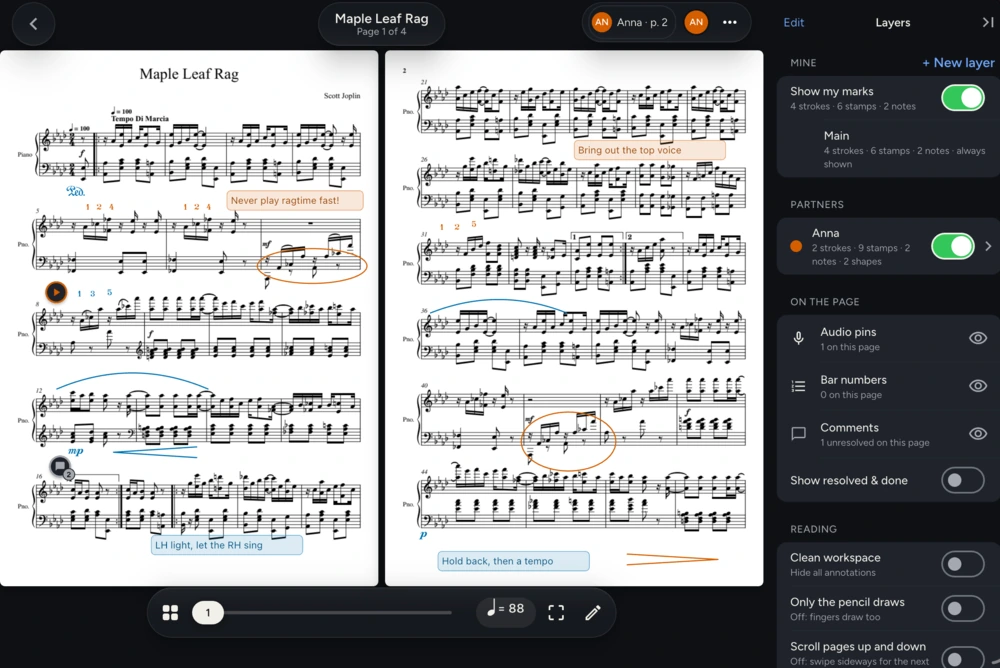
Everyone writes on their own layer.
Invite a collaborator to a piece. Each of you marks it in your own colour, and you choose whose marks to show.
Voice notes
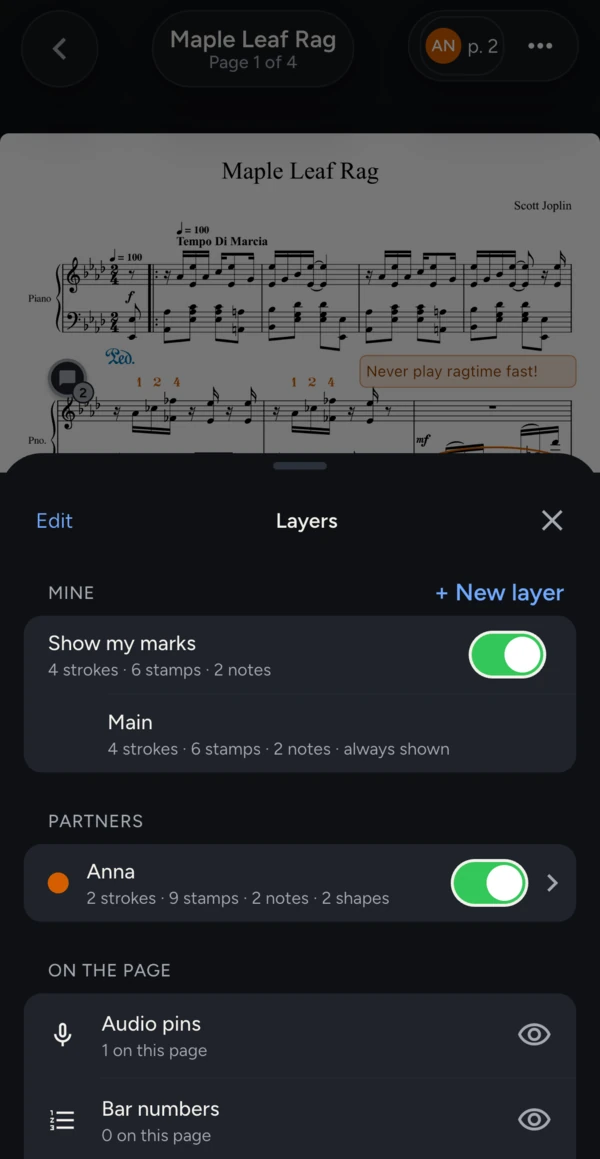
Say it, don't write it.
Pin a voice note to a passage: a phrasing idea, a tempo, how it should sound. Play it back right from the score.
Between lessons
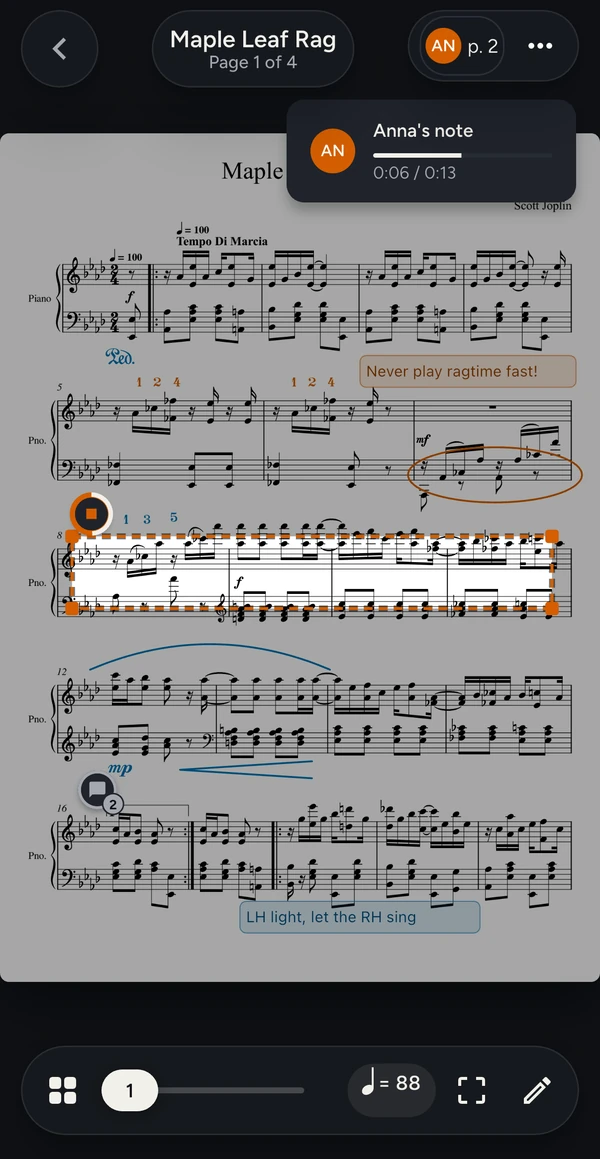
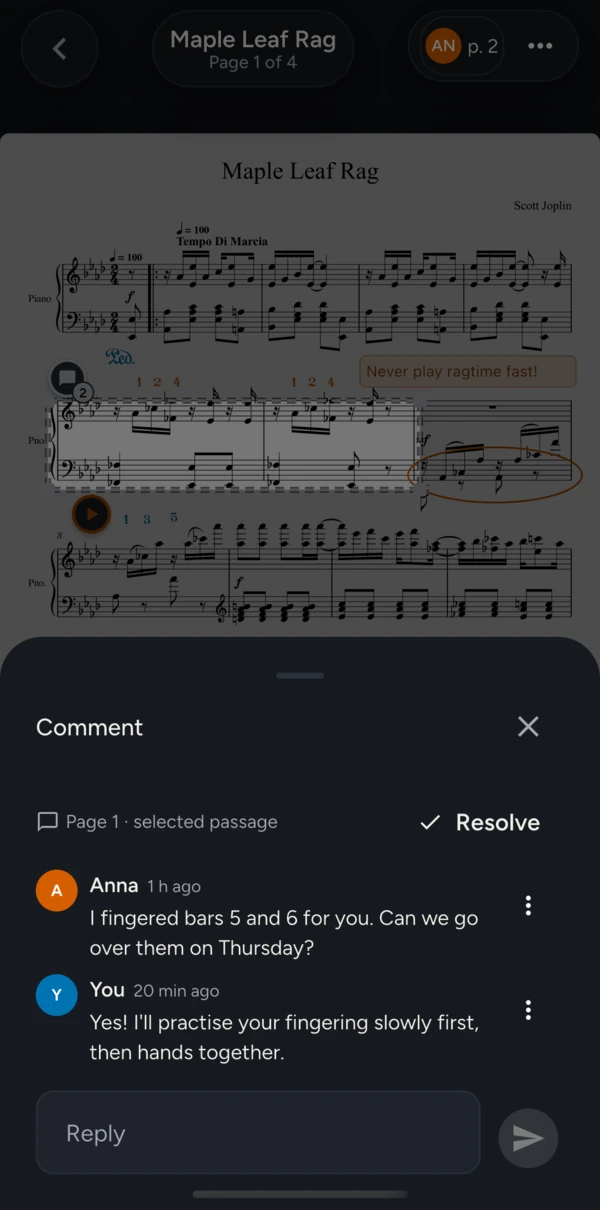
Talk it through on the bar.
Comment on a passage and the conversation stays pinned where it belongs, waiting for your next practice.
Built for the moment it counts
Your marks are safe. Always.
-
Never lose a mark.
Every stroke is saved the moment you lift your Pencil, even offline. Erased something by mistake? History brings it back.
-
Every device, nothing to set up.
Sign in on a new iPad and your scores, marks and voice notes are already there. No backups to remember.
-
Pick up the Pencil and write.
No modes to switch: the Pencil always writes. Want fingers just for turning pages? One switch does it. Tap with two fingers to undo.
Switching apps?
Bring your library, marks included.
Import any PDF, or many at once. Coming from another score app? Bring its backup, and your pen and highlighter marks arrive as ink you can still edit, on a layer of their own.
Free to start.
Import your scores and share a piece with a collaborator, free. Fingerings, stamps and your marks' history are free, always, with nothing to pay upfront. Pro is there when your library grows.
Real people answer support, whichever plan you're on.
Questions
Does it work on iPad?
Yes: iPhone and iPad, with Apple Pencil. Your library and marks are the same on every device you sign in to.
Is there an Android version?
Not at launch. Leave your email and we'll tell you if that changes.
Do the people I invite have to pay?
No. Your teacher, student or duet partner joins your piece for free, whatever plan they're on.
What does Pro add?
Room for a bigger library and more pieces shared at once, for teachers and busy ensembles. Reading and marking up a score are free.
Can I bring my marked-up scores?
Yes. Any PDF imports, and a backup from another score app brings its marks as editable ink. How importing works
Where are my scores kept?
With your account, in the cloud, so they're on every device you use. Only the people you invite see a piece. Read the privacy policy.